How to Play
Quick Overview
Every day you receive 20 letter tiles. Place them on a grid to form crossword-style words and earn the highest score you can. All players receive the same letters each day, so you can compare results with friends.
There is no time limit—play at your own pace any time before midnight, when a new puzzle appears.
Playing the Game
Step 1 — Choose Your Golden Tile
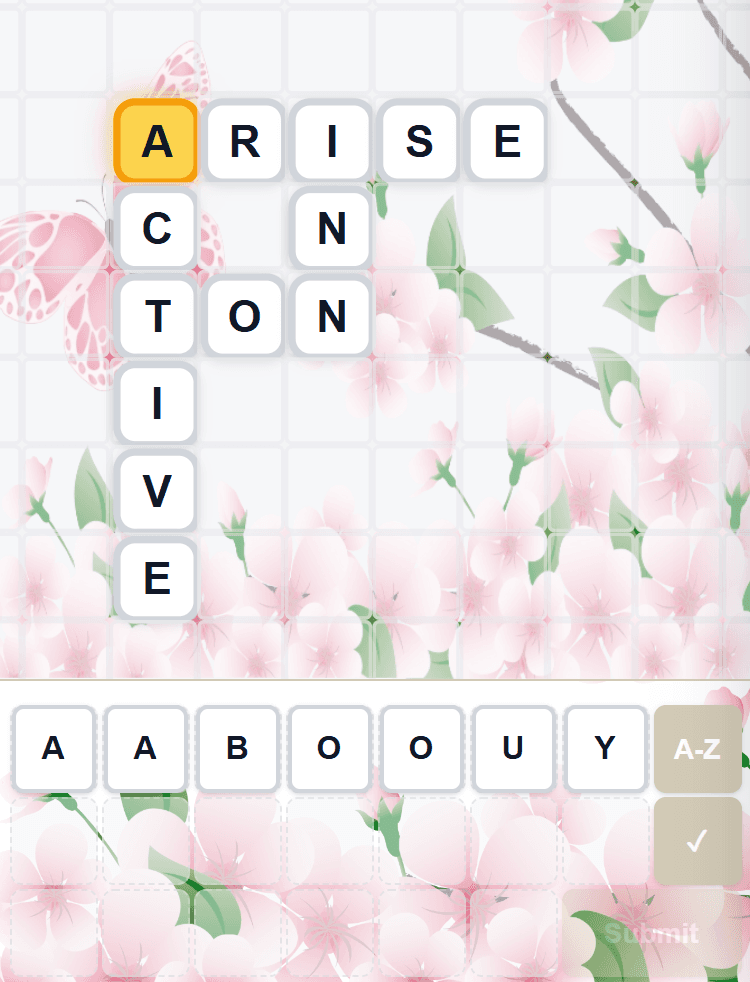
When the game starts, your 20 tiles are dealt face-down in the tile tray at the bottom of the screen. Tap any tile to flip them all face-up. The first tile you tap becomes your Golden Tile—it glows gold and earns extra points when used in words.
Step 2 — Build Words on the Grid
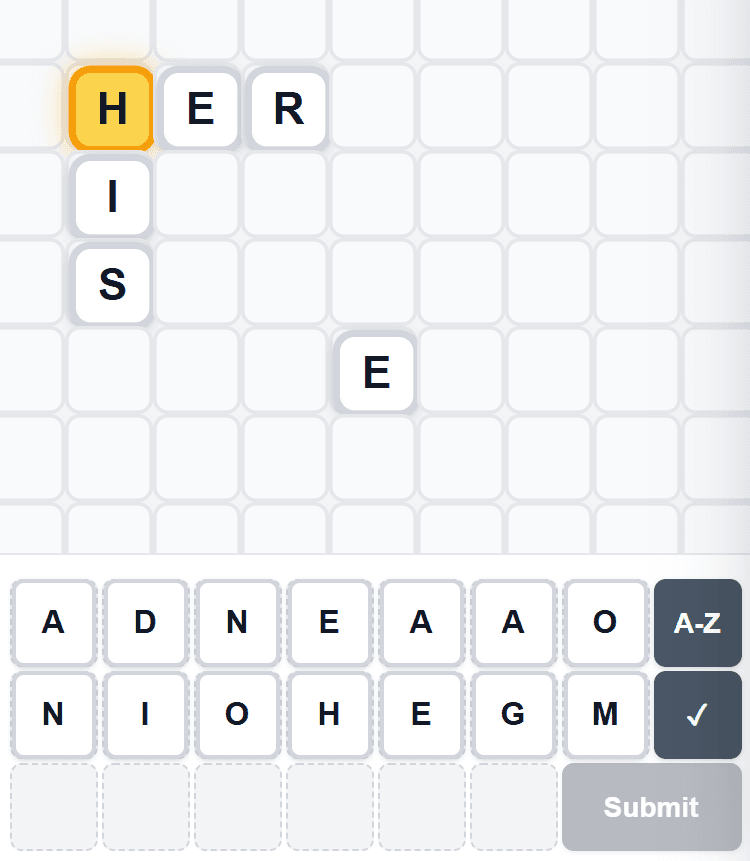
Drag tiles from the tray onto the grid to form words. The grid is scrollable and supports pinch-to-zoom, so you have plenty of room to work with.
Words must follow these rules:
- Words read left-to-right (horizontal) or top-to-bottom (vertical)
- Every word must be at least 2 letters long
- All placed tiles must form a single connected group—just like a crossword
- Every row and column of adjacent tiles must spell a valid word
You can freely drag tiles between the grid and the tray, or move them to new positions on the grid, until you submit.
Step 3 — Check Your Words
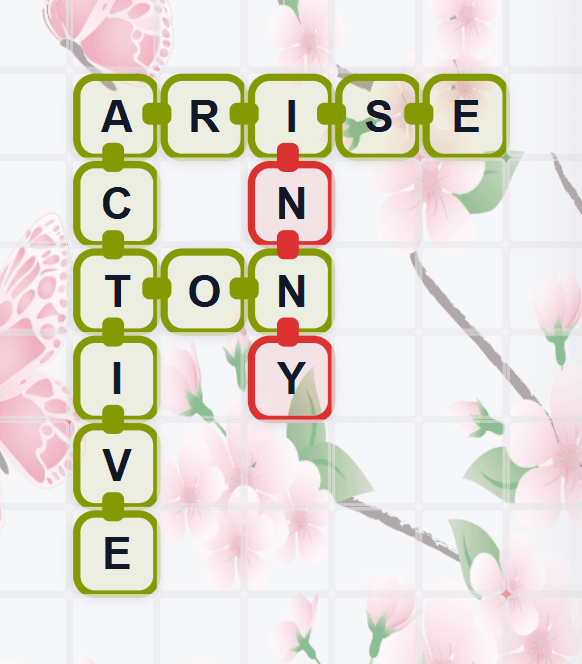
Tap the Check button (✓) to validate all words on the grid. Valid words are highlighted in green and invalid words in red, with small color-coded connectors drawn between consecutive letters so you can easily see which words are valid or invalid, even at intersections. Each tile also displays a small point value in the corner showing how much it contributes to your score—green for positive, red for negative. After checking, the button label changes from “✓” to your current projected score. Tap the button again, or tap anywhere on the board, to clear the highlights and return to editing. You can check as many times as you like—use it to experiment and refine your board before submitting.
Step 4 — Submit Your Score
When you're satisfied with your board, tap Submit to finalize your score. You'll see a detailed breakdown of your points, personalized insights about your game, and any newly unlocked achievements. A few seconds later, bonus squares are revealed on the grid—if any of your tiles landed on one, your score animates up as the bonus is applied. After submitting, you can still edit and resubmit to try for a higher score—but your original score is what counts on the leaderboard.
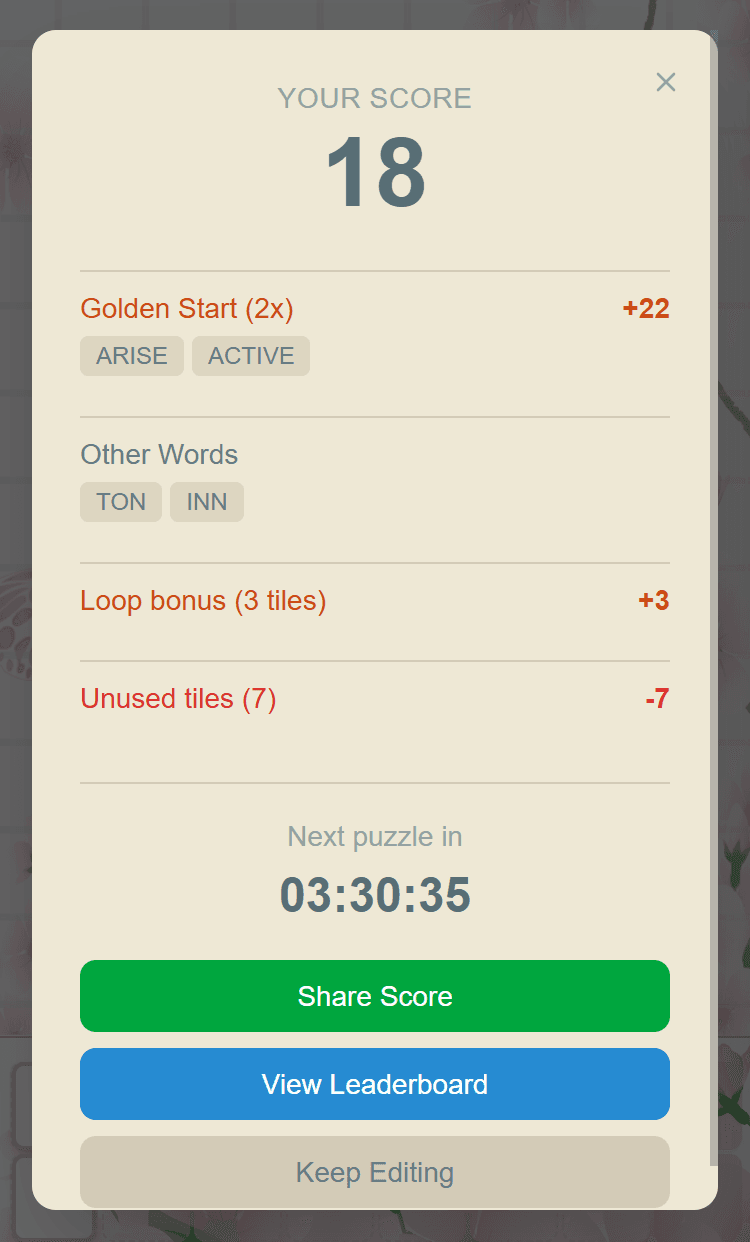
Tile Tray Controls
Your tiles sit in a tray at the bottom of the screen, arranged in a 3-row layout. Alongside the tiles you'll find action buttons:
Check
Validates all words on the grid. Valid words highlight green, invalid words highlight red, with color-coded connectors drawn between letters in each word. Even when a tile is highlighted in green, one of the connectors can be red, indicating that the tile is part of both a valid and an invalid word—the connectors show which direction is the problem. Tap again to clear the highlights. After checking, the button label changes to show your current projected score. Use this as often as you like.
Sort
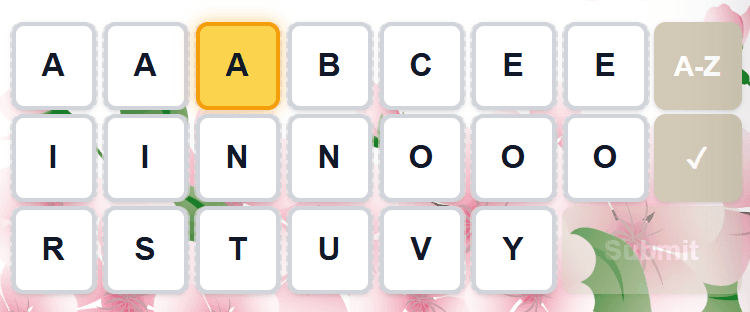
When all tiles are in the tray, the first tap alphabetizes them. A second tap moves all 20 tiles from the tray onto the grid. When there are tiles on the grid, the first tap returns any unused or invalid tiles back to the tray. A second tap returns all tiles from the grid to the tray.
Submit
Finalizes your board and calculates your official score. You can still edit and resubmit afterward but any new scores will be unofficial, so consider it only practice.
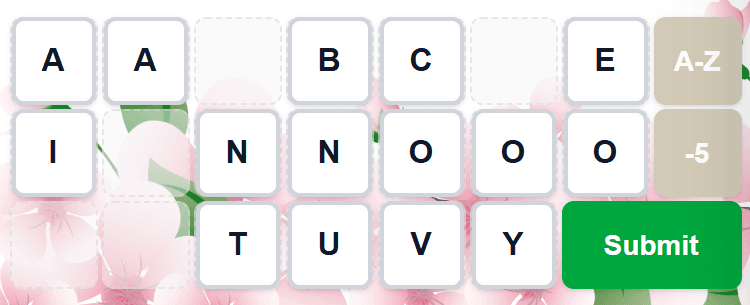
Scoring
Your score depends on how well you use your Golden Tile, whether you form word loops, and how many tiles you place on the grid:
Per-Tile Scoring
| Condition | Points per Tile |
|---|---|
| Each tile in a word that starts with the Golden Tile | 2 |
| Golden Tile and its direct neighbors in a word that contains the Golden Tile (not at start) | 2 |
| Other tiles in a word that contains the Golden Tile (not at start) | 1 |
| Each tile in a word loop containing the Golden Tile and not already in a word that starts or contains the Golden Tile | 1 |
| Each tile in a long word (5+ letters, no Golden Tile, if tile would otherwise score 0) | 1 |
| Tile in a valid word not containing the Golden Tile and not part of a word loop or long word | 0 |
| Each unused tile (in tray, disconnected, or in an invalid word) | −1 |
Special Conditions
These bonuses are applied on top of your final tile-based score and are not controlled by tile placement:
| Special Condition | Bonus |
|---|---|
| All valid words are common words (Natural Speaker achievement) | +2 to final score |
| Tile lands on a hidden +1 bonus square | +1 to that tile |
| Tile lands on a hidden 2× bonus square | Tile value × 2 |
| Tile lands on a hidden +1, 2× bonus square | (Tile value + 1) × 2 |
Tip: Place all 20 tiles, build long words that start with your Golden Tile, and try to form word loops through it. A 7-tile word starting with the Golden Tile is worth 14 points, and loop tiles add even more!
Score Breakdown Example
After you submit, you'll see a detailed breakdown of your score:
- Golden Start (2×): Words where the Golden Tile is the first letter
- Golden Contains: Words that include the Golden Tile elsewhere (2 pts for the Golden Tile and its neighbors, 1 pt for the rest)
- Other Words: Valid words that don't include the Golden Tile (0 points, but they help you place all your tiles)
- Loop: Extra points for tiles that form closed loops through the Golden Tile (see below)
- Long Words: Extra points for valid 5+ letter words not containing the Golden Tile (see below)
- Unused Tiles: Penalty for tiles not contributing to valid connected words
- Natural Speaker Bonus: +2 added to your final score if all your words are common, everyday words
- Perfect Symmetry Bonus: +2 added to your final score if your board is perfectly symmetric horizontally, vertically, or diagonally
- Bonus Squares: Extra points for tiles that land on hidden bonus squares (revealed after first submission)

Word Loops
A word loop occurs when your tiles form a closed cycle on the grid—a path that loops back on itself through connected words. If the Golden Tile is part of that loop, every other tile in the loop earns +1 point (excluding tiles already scoring from golden-tile words). Building loops is an advanced strategy that rewards creative crossword layouts.
Example: If your words form a rectangular shape on the grid with the Golden Tile at one corner, the Golden Tile appears in two of the four words (the two sides meeting at that corner). The tiles along the other two sides—which don't contain the Golden Tile—each earn +1 loop point.
Long Words
Any valid word with 5 or more letters that does not contain the Golden Tile earns extra points. Each tile in the word receives +1 point, but only if that tile would otherwise score 0 points. Tiles that already earn points from golden words or loops are not affected.
Example: If you build the word STEAM (5 letters) and none of its tiles are in a golden word or loop, each tile earns +1 point for a total of +5. But if two of those tiles already score from a golden word, only the remaining three tiles earn long word points (+3).
Bonus Squares
Each day, 9 hidden bonus squares are placed on the grid. You won't see them until you submit for the first time—they're revealed afterward with a special animation. If any of your tiles happen to land on a bonus square, you earn extra points on top of your base score.
There are three types of bonus squares:
- +1: Adds 1 extra point to the tile's base score (5 per puzzle)
- 2×: Doubles the tile's base score (3 per puzzle)
- +1, 2×: Adds 1 to the base score, then doubles the total (1 per puzzle)
Bonus squares are the same for all players each day. They only apply on your first submission and are not available in replay mode.
Natural Speaker Bonus
If every valid word on your board is a common, everyday word, you earn a +2 Natural Speaker bonus added on top of your final score. This rewards natural vocabulary over obscure dictionary words.
Editing & Resubmitting
After submitting, you can continue editing your board and submit again for practice. Your first submission score is what appears on the leaderboard. Your resubmission score is displayed in the Friends page.
Daily Reset
A new puzzle appears at midnight local time every day. After you submit, a countdown timer shows how long until the next puzzle. Play daily to build your streak!
Features Guide
All features are accessible from the menu (≡) in the top-right corner.
Daily Play
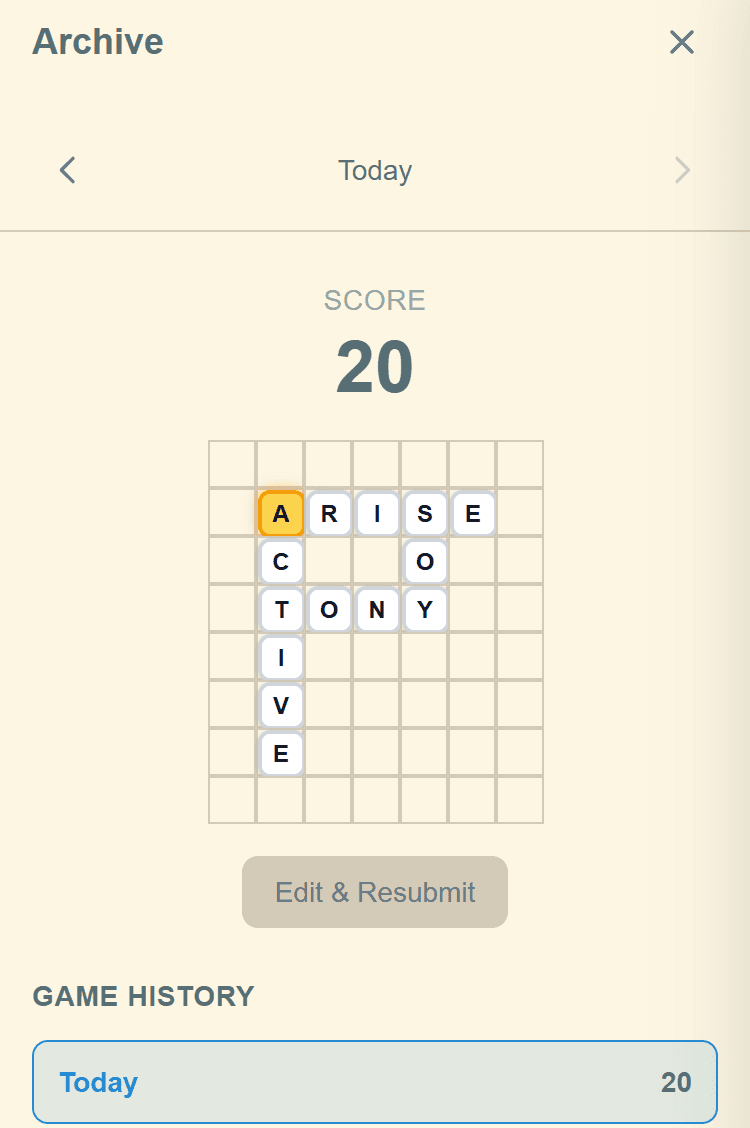
The Daily Play page is your daily-puzzle hub: it's where you start today's game and where you browse and replay past days. Browsing past dates is a Premium feature—free-tier users see today only.
Game History
The page is a scrollable list of dates for the selected month, newest first. Each row is one day:
- Date: The puzzle's date, with "Today" pinned at the top
- Diff: Difficulty rating from one to five stars
- Gold: The Golden Tile letter you chose
- Tiles: How many of the 20 tiles you placed
- Score: Your first-submission score
- Rank: Where you finished on that day's daily leaderboard
Navigating & Playing
- Use the left/right arrows at the top to navigate between months. A summary line shows how many days you played that month, plus your average score, best score, and win rate
- Tap any row to expand it accordion-style. The expanded panel shows a board viewer for completed games and the relevant action button for that day
- For unplayed puzzles: tap "Play This Puzzle" to start
- For submitted puzzles: view your final board with its Golden Poem, then tap "Edit & Resubmit" to try again
- For in-progress puzzles: tap "Continue Playing" to pick up where you left off
Stats
The Stats page tracks your personal performance over time. It has three sections:
Summary Cards
Six cards at the top give you a quick snapshot:
Games Played
Total completed games
Current Streak
Consecutive days played
Best Streak
Your longest streak ever
Avg Score
Average across all games
Win %
Games using all 20 tiles
Lexical Mastery
Tiles in 5+ letter words
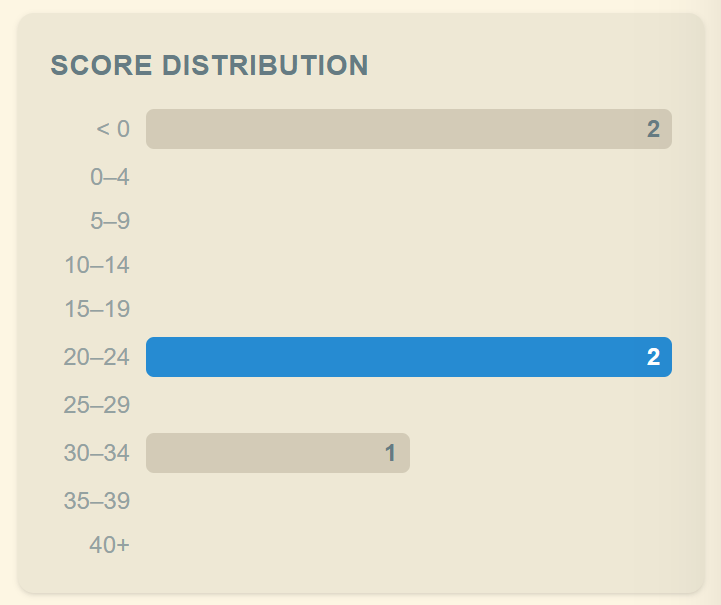
Score Distribution
A horizontal bar chart shows how often you score in each range (e.g., 0–4, 5–9, 10–14, and so on up to 40+). The bar for your most recent game is highlighted in blue.
Achievements
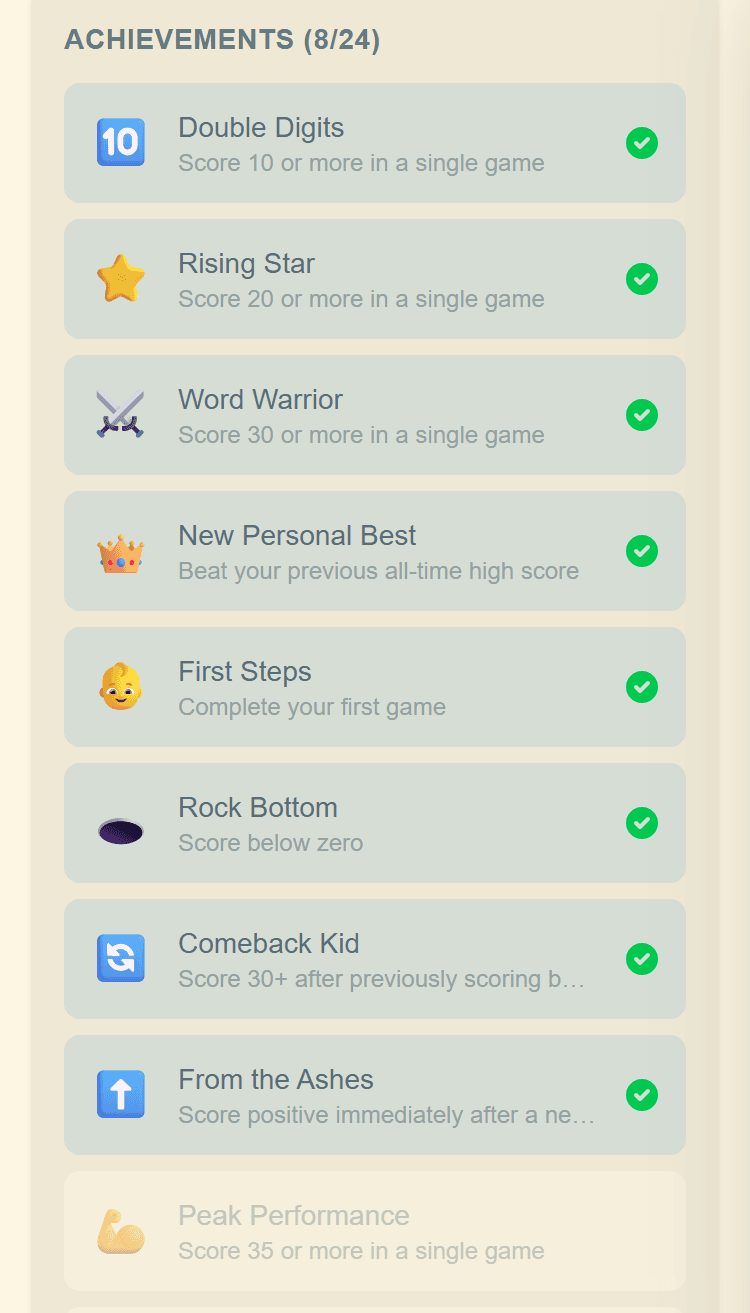
Earn achievements by reaching milestones. Unlocked achievements appear with full color and a green checkmark; locked ones are grayed out so you can see what to aim for next. Achievements include:
Score Milestones
Double Digits (10+), Rising Star (20+), Word Warrior (30+), Peak Performance (35+), Virtuoso (40+)
Streak Milestones
Hat Trick (3 days), Week Warrior (7 days), Monthly Master (30 days), Centurion (100 days)
Games Played
First Steps (1 game), Getting Started (10), Regular (50), Dedicated (100), Year of Tiles (365)
Mastery
Foundational (10+ avg), Consistent (15+ avg), Accomplished (20+ avg), Sharp Mind (25+ avg), Word Sage (30+ avg), Transcendent (35+ avg)
Special
On a Roll (33+ three games in a row), Getting Better (5 improving scores in a row)
You can share your stats using the share icon at the top of the page.
Friends
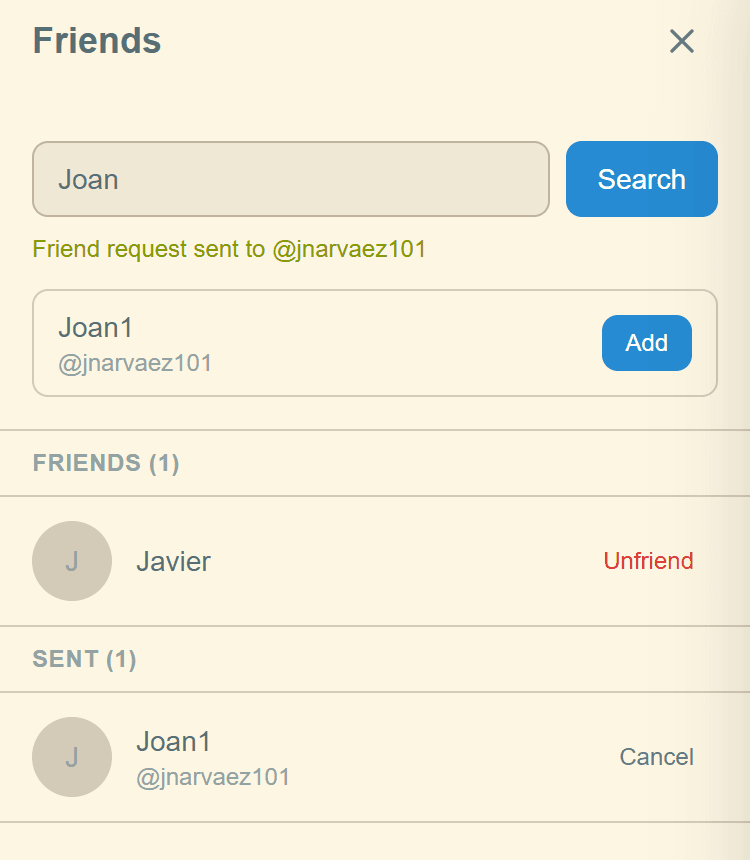
The Friends page is your social hub. You need a registered account (not anonymous) to use social features. The page has three tabs:
Manage Tab
Search for players and manage your friend connections:
- Search: Type a username to find players and tap Add to send a friend request
- Requests: Incoming friend requests with Accept and Decline buttons
- Friends: Your accepted mutual friends with an Unfriend option
- Sent: Outgoing requests you've sent that are still pending, with a Cancel option
Scores Tab
View your friends' daily scores and team standings:
- Use the date picker to navigate between days
- Shows all mutual friends' scores for the selected day
- Tap a friend's row to view their completed board
- From the board viewer, tap Replay to replay the same puzzle with the same golden tile and compare your score (see Replay Mode below)
- Add emoji reactions to friends' boards
- Emoji reactions appear next to scores—see who reacted and with what emoji
- Small icons next to a score flag what's notable about that game: WH (Word Hints) for tip-assisted plays, GP (Golden Poem) for haiku-winning games, and R (Replay) when at least one friend has replayed that board
Tap an emoji to react. Tap again to remove your reaction.
Below the friends' scores, a Teams section shows daily team leaderboard standings with each team's average score and member participation. Tap a team row to see individual member scores.
Teams Tab
Teams let you compete as a group with friends:
- Monthly Standings: Shows team rankings for the selected month based on a campaign score that factors in average daily score and days active. Navigate between months with the arrows at the top
- Your Teams: See your own team, any team you've joined, and your friends' teams
- Every player has their own team automatically. You can also join one other team
- Team owners can rename their team and open or close it to new members
- Teams need at least 2 members who played on the same day to appear in standings
Leaderboards
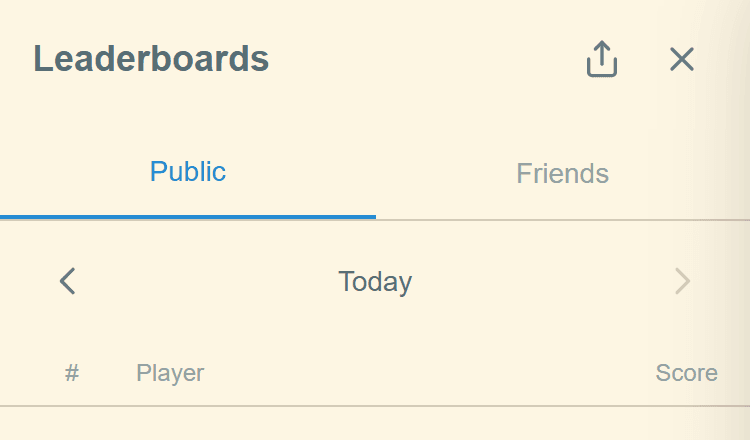
See how your score stacks up against other players. The leaderboard page has two tabs:
Daily Tab
- Shows all players' scores for the selected day
- Use the left/right arrows at the top to navigate between dates
- Top 3 ranks are highlighted in gold
- Your entry is highlighted so you can spot it quickly, with "(You)" next to your name
- If you're not in the top group, your rank appears at the bottom separated by "···"
- Emoji reactions appear next to scores
- You can share your position using the share icon
All-Time Tab
- Shows cumulative all-time statistics for all players
- Displays each player's average score and games played
- Players must have at least 5 games to appear
- Top 3 ranks are highlighted in gold
- Your entry is highlighted with "(You)" next to your name
Themes
Customize the look of your game with two independent theme systems and custom backgrounds.
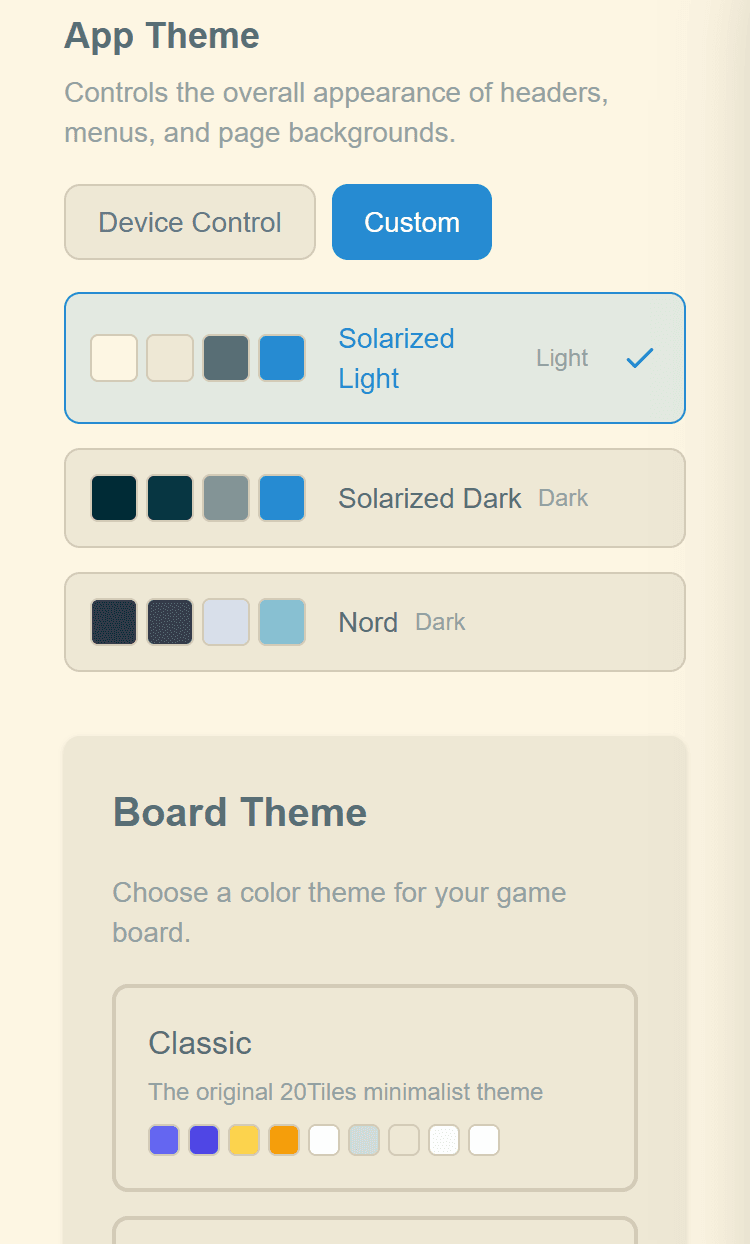
App Theme
The App Theme controls the overall interface—headers, menus, page backgrounds, and text colors. By default it follows your device's light/dark mode setting. You can also choose a specific theme:
- Device: Automatically matches your system's light or dark mode
- Solarized Light: A warm, light interface theme
- Solarized Dark: A warm, dark interface theme
- Nord: A cool, dark interface theme inspired by Arctic palettes
Board Theme
Choose from a collection of color themes that change the appearance of tiles, the grid, and the tray. Each theme shows color swatches so you can preview the look before selecting. The selected theme is indicated by a blue border and checkmark.
Theme colors affect:
- Face-down tile colors
- Golden Tile glow and background
- Regular tile colors
- Grid background and cell borders
- Tray background and slot borders
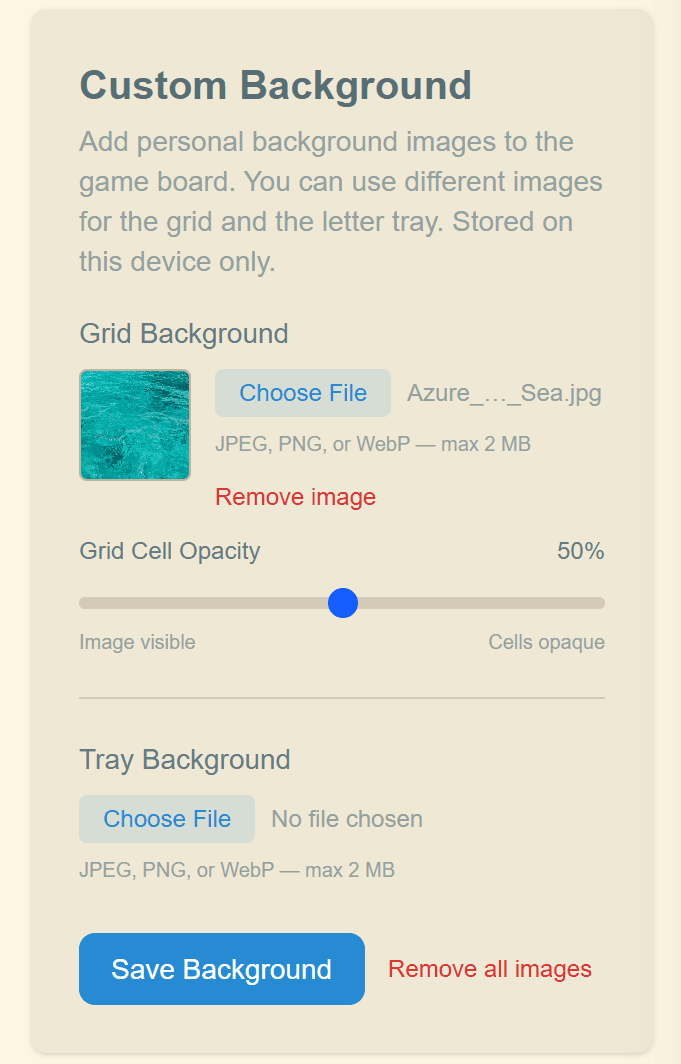
Custom Backgrounds
Upload your own background images for the grid and the tile tray independently. Supported formats are JPEG, PNG, and WebP (max 2 MB per image). Custom backgrounds are stored on your device only.
Each background has an opacity slider that controls how transparent the grid cells or tray slots are, letting the background image show through.
Game Settings
The Settings page lets you manage your account and profile.
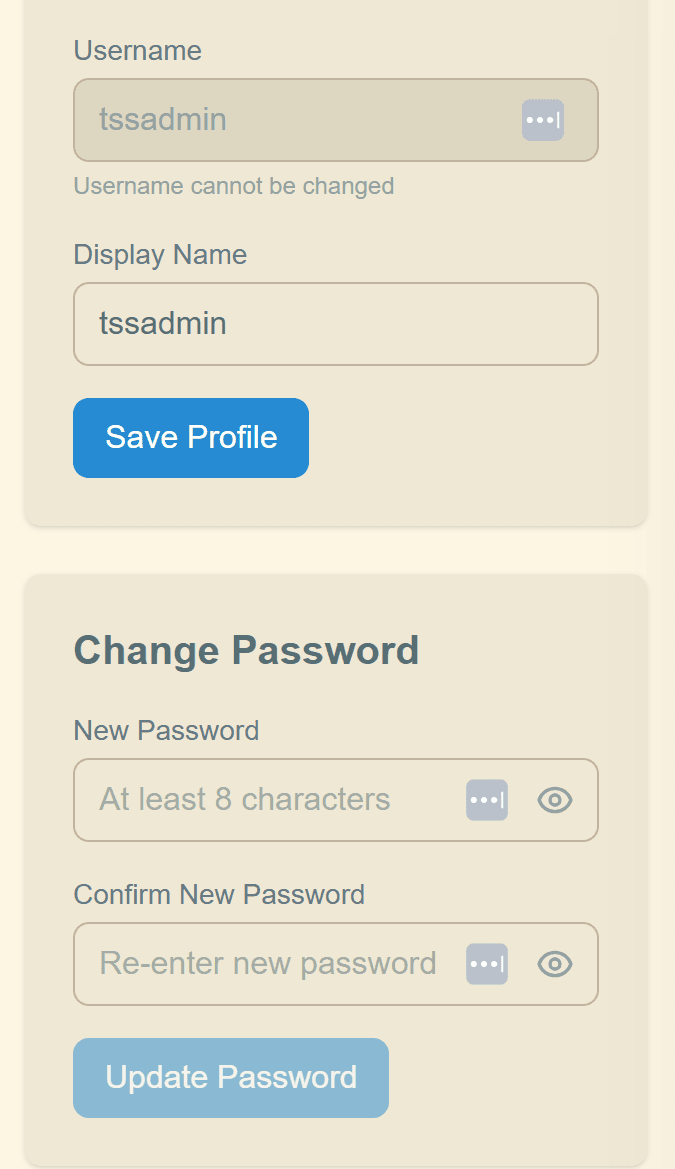
Profile Information
- Email: Displayed for reference (cannot be changed)
- Username: Set once, used by friends to find you. Must be 3–20 characters, letters, numbers, and underscores only
- Display Name: Your public name on leaderboards and friend lists. Can be changed at any time
Change Password
Update your password at any time. Passwords must be at least 8 characters long.
Account Information
View your account creation date and account type (Anonymous or Authenticated). Anonymous users can upgrade to a full account by tapping "Create Account" from the account menu in the header.
Replay Mode
Replay Mode lets you replay a friend's puzzle to see if you can beat their score.
How It Works
- View a friend's completed board from the Friends page Scores tab
- Tap the Replay button to start
- You'll play the same puzzle date with the same golden tile as your friend
- After submitting, your score is compared directly against your friend's
The score overlay shows a head-to-head comparison with a point differential—green if you beat your friend, red if they came out ahead. Replay scores are recorded separately and don't affect the daily leaderboard. Note that bonus squares do not apply in replay mode.
20Tiles Tips
Work with your Golden Tile. Since all tiles are face-down when you pick, the Golden Tile is a lucky draw. Once revealed, build your strategy around it—placing it at the start of a long word is worth double points.
Make every tile count. Every tile not contributing to a valid connected word costs you 1 point. Tiles left in the tray, disconnected from your main group, or forming invalid words all incur a penalty.
Build long words through the Golden Tile. A 7-letter word starting with the Golden Tile is worth 14 points. Place it first, then build around it.
Check often. There's no penalty for checking. Use it to catch invalid words early and experiment freely.
Use Sort to clean up. After checking, tap Sort (A-Z) to pull invalid and disconnected tiles back to the tray and alphabetize what's left. It's a quick way to tidy up and see what you still have to work with.
Think crossword-style. Every intersection creates words in both directions. Make sure tiles you place don't accidentally form invalid words vertically or horizontally.
Build loops for extra points. If you can arrange your words into a closed loop that passes through the Golden Tile, each tile in the loop earns an extra point. Try forming rectangular or ring-shaped crossword patterns.
Frequently Asked Questions
Do all players get the same tiles?
Yes! The same 20 letters are dealt to every player each day, making scores directly comparable.
Is there a time limit?
No. You can work on the puzzle at your own pace until midnight local time, when the next puzzle appears.
Can I play without an account?
Yes! An anonymous account is created automatically. You can play, save progress, and appear on leaderboards. Create a registered account anytime to access your game from other devices and use social features.
What happens if I submit and then want to change my board?
You can edit and resubmit. Your first submission score is your official score on the leaderboard, though improved scores will be reflected with a visual indicator.
What dictionary does 20Tiles use?
20Tiles uses the ENABLE word list, a comprehensive list of approximately 170,000 English words, supplemented by custom words maintained by the folks at 20Tiles. For the Natural Speaker bonus, “common words” are determined using multi-source word frequency data (Wikipedia, Reddit, movie subtitles, and more). You can check whether a word is common using the Word Search tool (Premium feature)—common words are marked with a 🌿. Contact us if you have suggestions for new words to add.
What is the maximum possible score?
The highest score from tile placement alone is 42 points—achieved by using all 20 tiles in exactly two words that both start with the Golden Tile (e.g., two 10-letter words). Bonus squares, the natural speaker bonus, and any future bonuses offered by the game designers can push your total even higher.
What does Premium include?
Premium removes all ads and gives you access to the Archive to browse and replay past puzzles. Monthly and annual plans are available.
Explore More
Need Help?
If you have questions or run into issues, reach out to us at support@20tiles.com.